
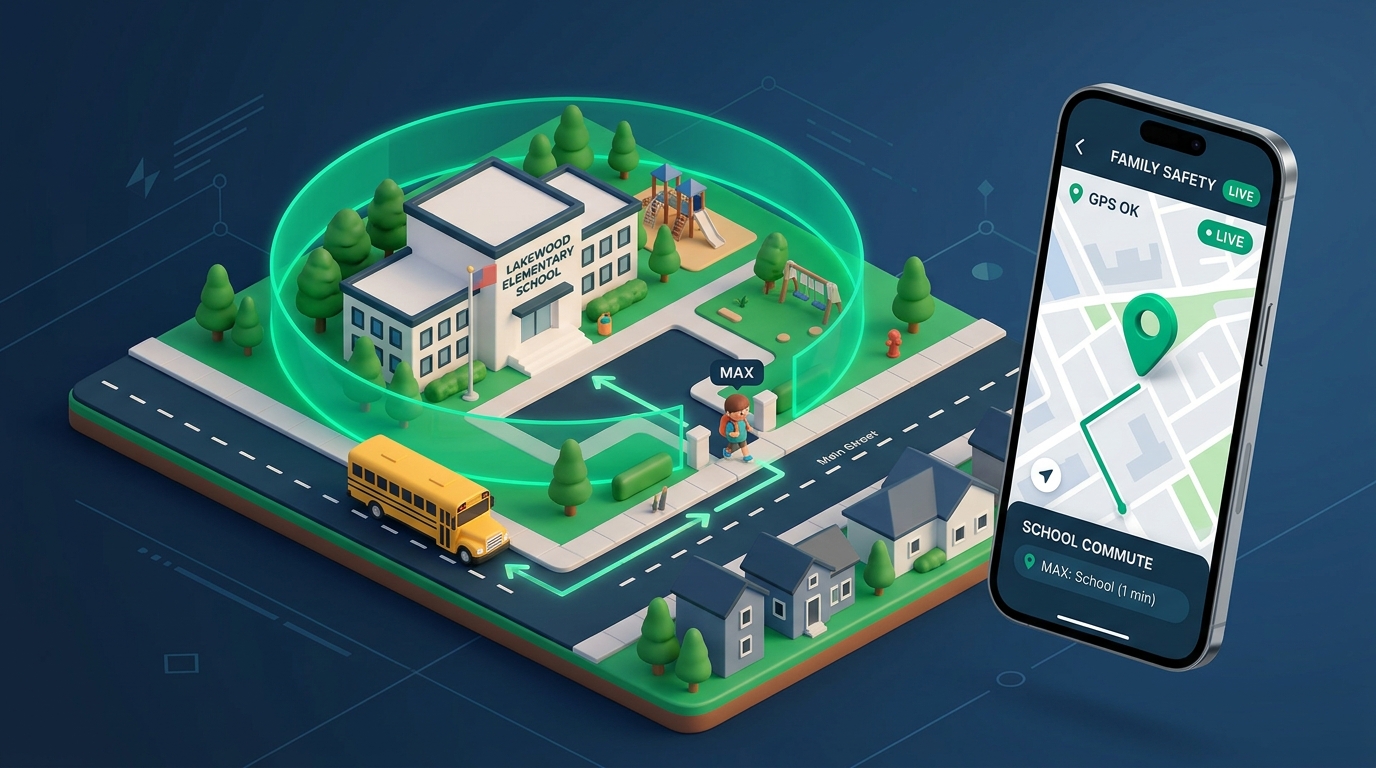
When the school bell rings or the bus runs late, every parent’s heart beats faster: "Did my child arrive safely? Where is the shuttle stuck? Are they home yet?" In modern urban life, live GPS location tracking is not a helicopter-parenting luxury—it is a vital digital lifeline that brings genuine peace of mind.
What Is Geofencing and How Does It Work?
Geofencing allows parents to stay informed without staring at a map all day. You draw a virtual perimeter around frequent locations such as "School", "Home", or "Music Academy".
The moment your child enters or leaves that designated boundary, your phone receives an immediate silent push notification: "Chloe reached school safely (08:24 AM)". This keeps you informed without interrupting classes with anxious calls.
The Critical Value of School Shuttle Route History
When shuttles face traffic jams or detours, live route history proves invaluable:
- Turn-by-Turn Route Playback: Review which streets the bus traveled and when stops were completed.
- Unusual Stop Delays: Receive automated alerts if the shuttle stops unexpectedly for an extended period.
- Low-Battery Warnings: Get notified when the child’s device drops below 15% charge before it dies.
Privacy vs. Protection: Discussing Tracking with Kids
Children aged 10 and older may interpret location tracking as mistrust. Frame the conversation constructively:
- Be transparent rather than secretive: Explain that GPS tracking is an emergency seatbelt, not surveillance.
- Build shared security habits: When kids realize that parents also share check-ins, tracking becomes a family safety habit.
Intelligent Safety with SmartFamilyEye GPS
SmartFamilyEye delivers top-tier tracking while preserving device battery life:
- Accuracy Down to 3 Meters: Blends satellite GPS, Wi-Fi triangulation, and cellular signals.
- Unlimited Safe Zones: Create distinct geofences for school, grandma’s home, sports clubs, and playgrounds.
- Battery-Smart Sleep Mode: Puts GPS sensors to sleep when the phone is stationary, using under 5% battery daily.
- Emergency SOS Trigger: One-tap instant panic button sends live coordinates to both parents.
❓ Frequently Asked Questions
Does constant GPS tracking drain my child’s battery quickly?
SmartFamilyEye utilizes motion sensors: when stationary, GPS sleeps, keeping daily battery consumption around 5%.
What happens if my child turns on Airplane Mode?
The dashboard displays the last verified location timestamp and instantly alerts parents that the connection was interrupted.
Does GPS work accurately inside large school buildings?
SmartFamilyEye uses hybrid positioning combining Wi-Fi signals and cellular towers to pinpoint indoor locations accurately.
How many safe zones can I configure?
You can configure unlimited geofence safe zones for home, school, tutoring centers, and relatives’ houses.
Ready to Safeguard Your Child’s Digital World?
Set screen time limits from a single dashboard, block inappropriate content, and secure school commutes with real-time GPS tracking using SmartFamilyEye.